What Makes a Lyrics Display Reliable on Stage?
A reliable lyrics display for live music shows your words and chords clearly, scrolls without lag, and keeps working when the room goes dark. It survives a full set without freezing, dimming, or demanding your hands.
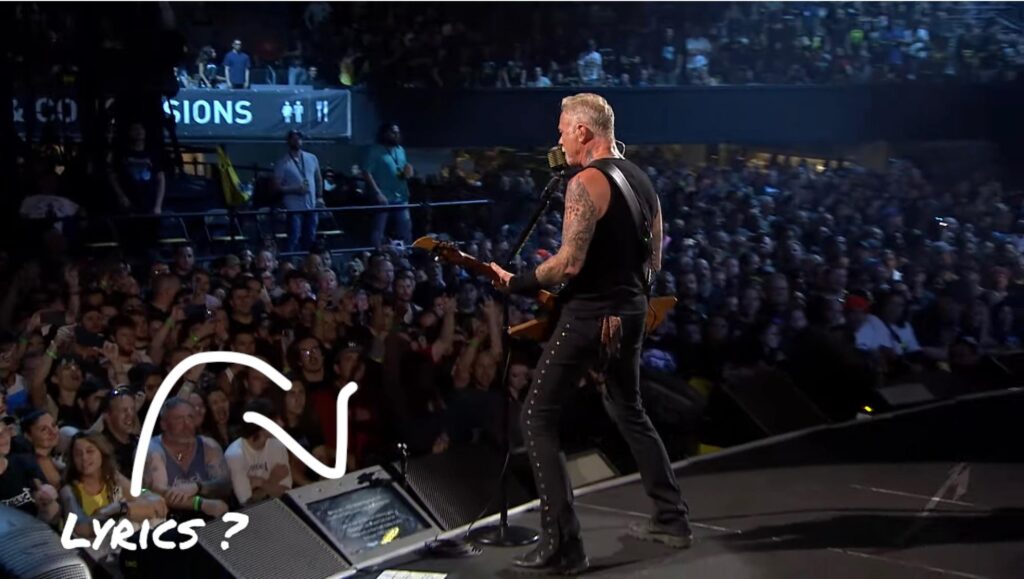
Let’s face it – the iPad in the face is not a good look. The whole point of a prompter is to free your eyes and hands, not trade one distraction for another.
At BLACK BOX Prompter, we’ve observed that common issues performers face when using tablets and music stands include washed-out screens, jumpy scrolling, and devices that malfunction during a performance. Addressing these issues is key to a trustworthy lyrics monitor.
Here’s what separates stage-ready gear from a tablet propped on a stool, and which options hold up under real stage conditions.
Easier to See than a Tablet (and Less Obvious)
A lyrics prompter built for the stage uses a much larger screen than even the largest tablet. You also get the luxury of 12 font sizes, including jumbo options, to keep text readable from a few feet back without leaning in. So no more squinting or being obvious you’re staring into your iPad..
Latency, Auto-Scroll, and Performance Stability
Lag kills confidence. If your lyrics display stutters or skips a line mid-song, you lose your place and the audience notices.
BLACK BOX Prompter’s smooth auto-scrolling solves this.
Instead of tapping a pedal every few seconds, you set the perfect scroll speed via your foot pedal and let the screen move at your pace, adjusting on the fly so a slow ballad and a fast closer both feel natural. If you’re new to it, our guide on how to auto-scroll on the BLACK BOX Prompter walks through the setup.
Performance stability comes down to the hardware underneath. A dedicated unit with its own processor and storage, rather than a shared tablet running ten other apps, is far less likely to freeze mid-set.
Lyrics Display Options for Live Music: A Quick Comparison
Here’s the short version before we dig into each option. Every pick below is a BLACK BOX Prompter model, because that’s what we build and know best.
| Model | Best For | Screen | Key Feature | |
|---|---|---|---|---|
| 24″ Wedge Prompter | Serious performers, fixed stages | 24″ LED | Shatter-proof shield, magnetic lid, heavy duty, Includes foot pedal and lyrics/chords software (no monthly subscription) | |
| 24″ Prompter GO! | Gigging musicians, travel, portability | 24″ anti-glare | Portable, 8 lbs., includes lyrics/chords software (no monthly subscription); supports landscape or portrait orientation | |
| OnSong Prompter | OnSong Premium users, worship teams | 24″ LED | Mirror your iPad or iPhone running OnSong Premium, supports portrait orientation | |
| GO! Mirror Bundle | Budget setups, own-device users | 22″ LED | Mirrors any tablet or laptop (OnSong or BandHelper required for portrait orientation) |
Every model skips the monthly subscription. You buy the hardware once and keep using it.
Hardware-Software Integration: The Part Most Gear Guides Skip
A lyrics monitor is only as reliable as the chain connecting your hands, your feet, and your screen. The real work happens in how the hardware talks to the software.
Foot pedals. The 24″ Wedge Teleprompter for Musicians and the GO! Series models (24″ Prompter GO!, 22″ GO! Prompter Bundle, 22″ GO! Prompter with Backpack) include a heavy-duty USB foot pedal with three switches to turn pages and navigate through the menus. When you’re in a song (lyrics or chord charts) these switches allow you to go back (‘BACK’) or manually turn the page (‘NEXT’).
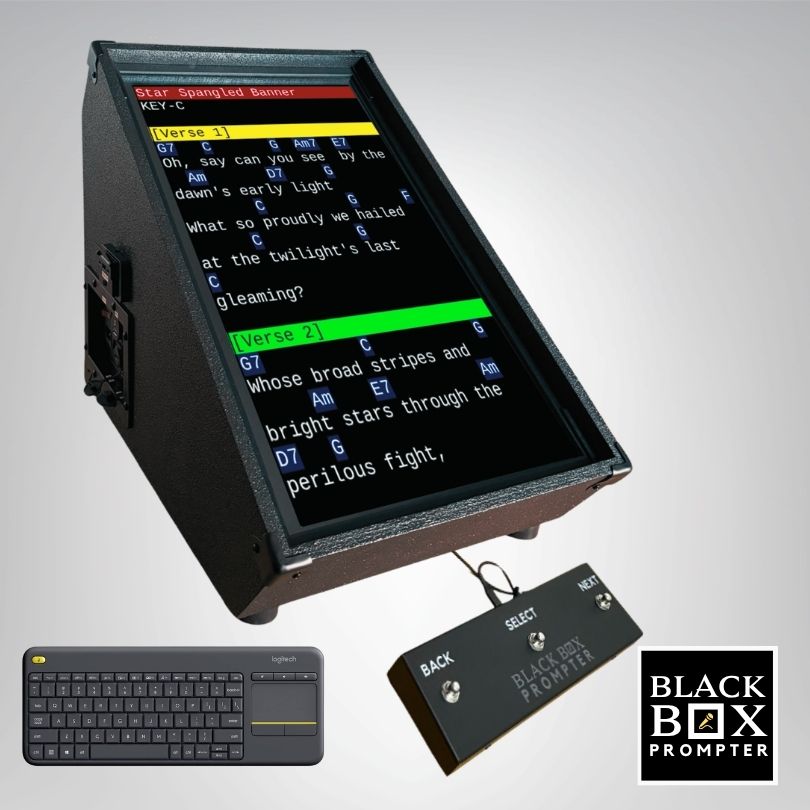
External monitors. Mirror models like the GO! Mirror Bundle accept HDMI input so a tablet, laptop, or phone becomes the brain and the prompter becomes the display. You can feed a second screen, a stage-side confidence monitor, a green-room display, or a broadcast feed, from the same source.
Matching the Model to Your Stage
For a more a permanent stage fixture, consider the 24″ Wedge, wooden cabinet that looks like a floor monitor with built-in software, auto-transpose, and other smart features to help with more confident performances week after week. Traveling gigs favor the GO! line: at 8 pounds with a backpack option, it moves from load-in to stage without a cart.
BLACK BOX Wedge Prompter: The Feature-Rich Flagship
The 24″ Wedge Teleprompter for Musicians is a feature-rich lyrics prompter for serious performers. It’s a self-contained unit with BLACK BOX Rocks! software included, so leave your iPad at home.
A few features that earn their keep:
- Constructed from durable Baltic birch plywood with two coats of Duratex speaker paint (made to look like a floor monitor in disguise)
- 1/8-inch polycarbonate shatter-proof shield to protect accidental damage
- Color-code song sections like [chorus] and [bridge] for fast visual cues
- Edit songs and set lists directly on the box with the included keyboard
- Wireless sync keeps multiple prompters on the same page without the HDMI cables
BLACK BOX Prompter GO!: Portable Power for Gigging Musicians
Portability is where the GO! line shines. The 24″ Prompter GO! includes the premium features performers love from the standard BLACK BOX Prompter, packed into a compact, lightweight system built for stages, rehearsals, travel, and mobile performances.
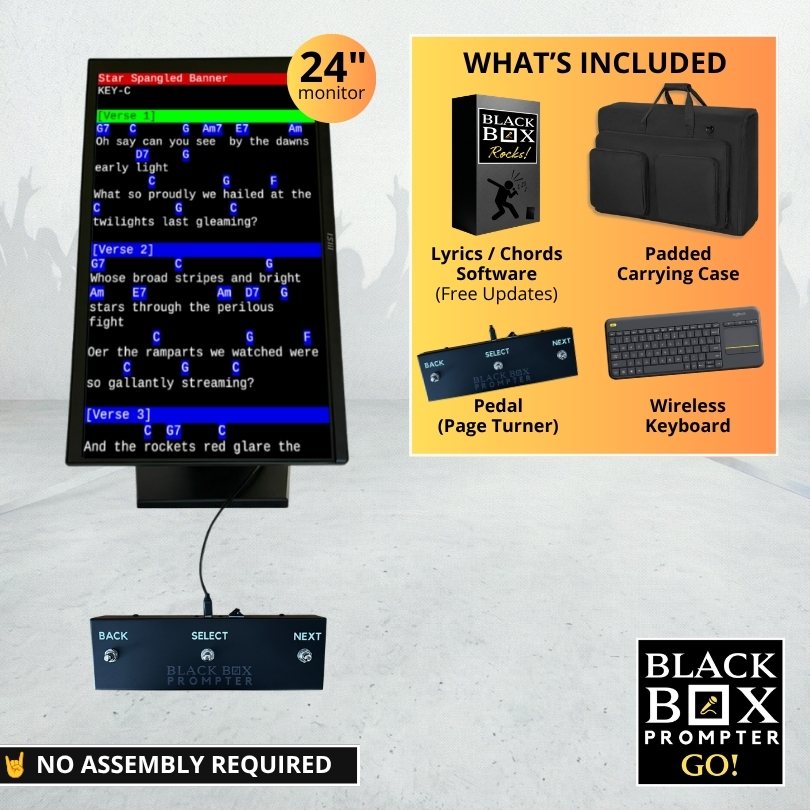
If you move between venues, the GO! line gives you flagship features in a package light enough to carry in a backpack.
OnSong Prompter and GO! Mirror: Flexible Mirroring Solutions
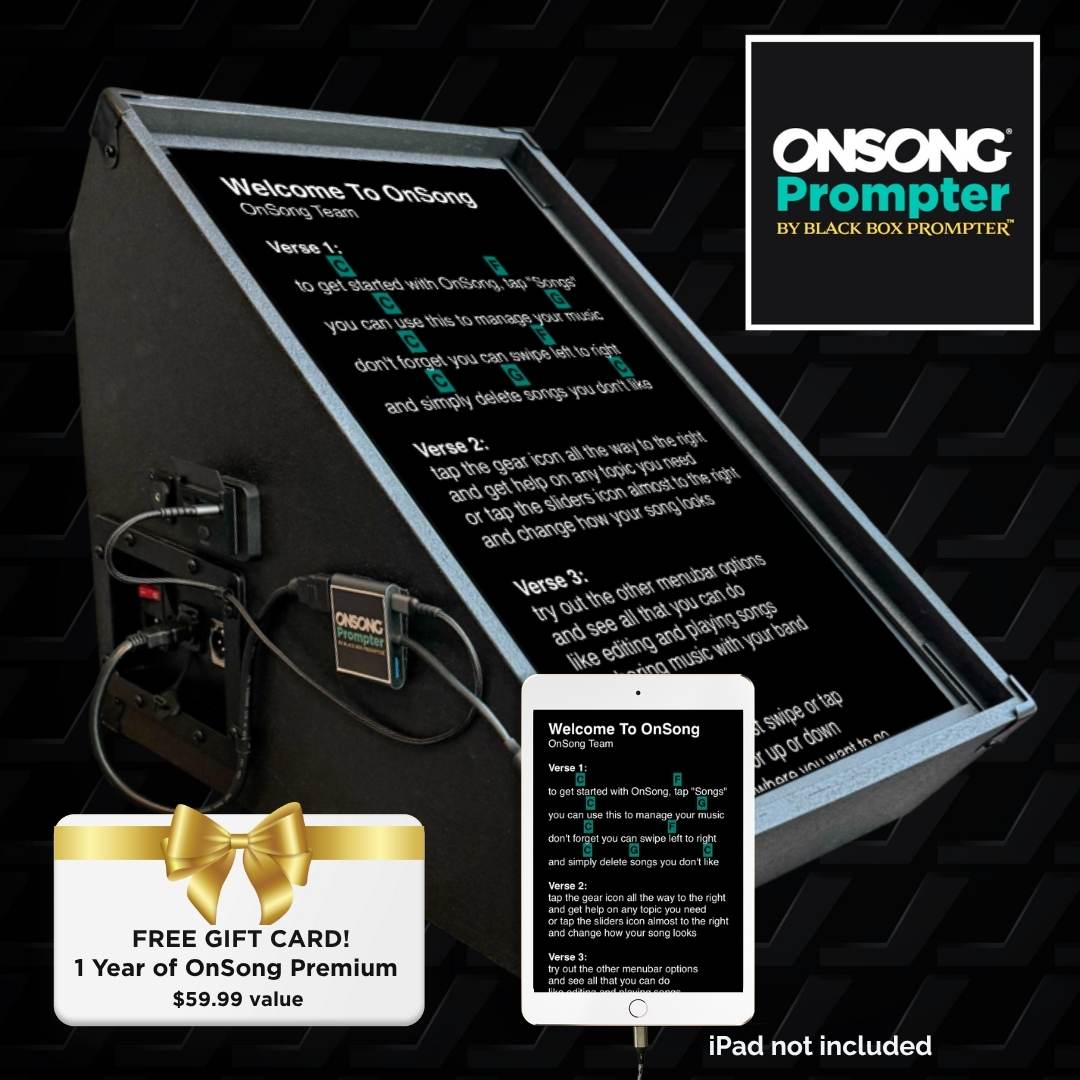
Not everyone wants to leave their favorite app behind. If you already run OnSong on your iPad, the OnSong Prompter mirrors it to a 24-inch display with a USB-C cable and HDMI adapter.
How to Overcome Stage Fright While Singing with a Lyrics Prompter
A lyrics prompter doesn’t just show words. It removes the mental load that feeds stage fright, the real reason so many performers stick with one.
Stress-Test Your Setup Before It Matters
The night before a service or show, run a full dress rehearsal with the prompter in its final configuration. That means:
- Load the actual set list, in order, with the actual files you’ll use on stage
- Go through each song on your set list to ensure the proper song comes up properly
- Trigger every pedal switch you plan to use, including the programmable third switch
- Dim the room and check contrast under the lighting you expect
- Confirm your backup USB drive is formatted and readable with your latest set lists and songs
Build the Muscle Memory
Stage fright shrinks when the mechanics become automatic. Rehearse with the prompter running so your eyes learn where to glance, not reading every word, just catching the first line of each section. Set your scroll speed during soundcheck, not mid-song. Practice the pedal tap until you don’t think about it.
The Reliability Checklist
Before downbeat, run this quick pass:
- Screen brightness set for the room, not the rehearsal hall
- Scroll speed locked in for the first song
- Pedal connected and tested on all three switches
- Set list loaded in performance order
- Backup files on a separate USB drive
- Wireless sync confirmed if you’re running multiple prompters
Stage fright and gear anxiety are the same problem wearing different clothes. A prompter you’ve stress-tested removes both.
Choosing the Best Teleprompter for Musicians: Key Factors
Don’t overlook file format. If your songs are in an app-only format, you’ll need to export them first. Plain text .txt files are the most portable and load fastest on any prompter.
Conclusion
BLACK BOX Prompter can help you get rid of the tablet for good while hiding your lyrics, chords, and scripts from the crowd. The pre-loaded app has all the features you need to deliver a smooth, more confident performance – without a monthly subscription.
With a 4.9-star rating based on over 30 reviews and free software updates for life, BLACK BOX Prompter is designed to provide a seamless, stress-free performance.